Step ingredients
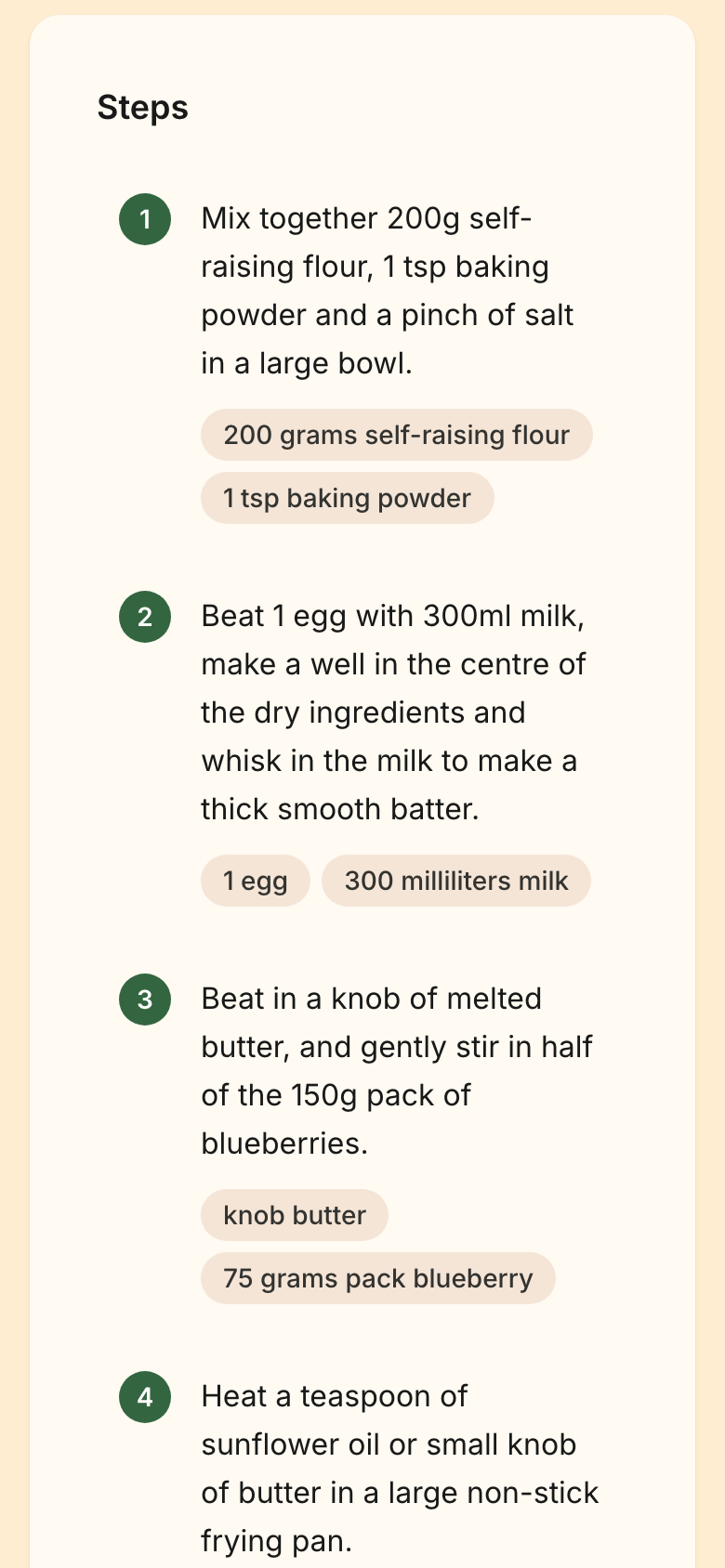
When making a recipe and reading "add the spices" you shouldn't have to stop, scroll back to the ingredient list, and guess which lines that means. A step in Norish can carry ingredients.
- "Add the spices" shows the salt, the pepper and any other spices.
- "Add half the water" shows 25 ml water when the recipe mentions 50ml of water.
- The step's own text is never rewritten. The links live beside the sentence, not inside it.
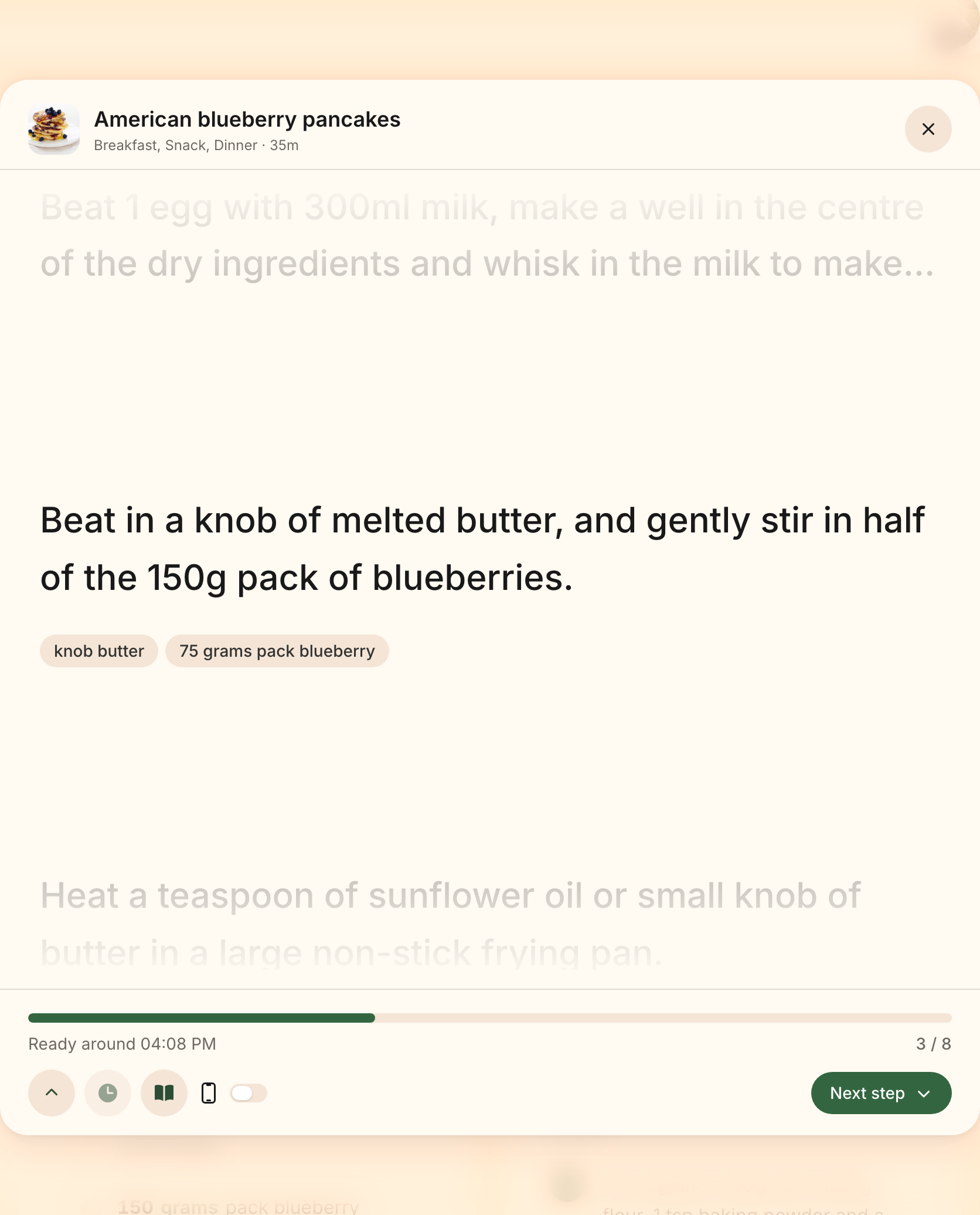
In cooking mode
Cooking mode shows the current step's ingredients right under the instruction — in front of you exactly when your hands are full.
Share links carry them too: someone opening a recipe you shared sees the same amounts beneath the steps.
Linking steps yourself
In the recipe form, every step has a chips row: mention an ingredient with @
while typing, or attach one from the Link ingredient picker without naming
it in the text. Attaching a line that has an amount asks for it.
Each chip carries how much of its line the step uses; half, a third, a
quarter, or an exact amount when the line has one.
An entered amount is stored as the equivalent share of its line, 3 of the 5 eggs is stored as 0.6 — which is exactly why the displayed amounts keep following edits, the servings control, and the measurement system. Only a line with no amount of its own is edited as a share directly. See Creating and editing recipes.
Letting AI fill the gaps
Ingredient Linking is one of the recipe enrichments, and it is deliberately the gentlest one: it is a gap-filler in every case. Automatic or requested by hand, it only ever adds links to steps that have none.
- Hand-link a few steps, run Link Ingredients to Steps from the recipe's actions menu, and the rest are filled in — the steps you linked yourself are never touched, so a rerun can never replace your work.
- Your administrator can turn Ingredient Linking on for newly added recipes under Settings => Admin => AI. It is off by default, so upgrading never starts spending AI on its own.
- A recipe with no ingredients or no steps has nothing to link, and the run skips it.
- The one exception to gap-filling is an administrator's Enrich All Recipes sweep with Overwrite existing data turned on.
Like every enrichment kind, an automatic run that fails stays quiet, and a run you asked for reports its failure and can simply be run again.