AI provider
Several features are powered by AI. They're off by default, configure a provider to enable them.
AI enables:
- AI fallback when a recipe can't be imported from a URL structurally
- Image import from screenshots or photos of recipes
- Video import from YouTube Shorts, Instagram Reels, TikTok, Pinterest, and more
- Recipe Enrichment: tags, allergy indications, meal categories, nutrition values, ingredient to step linking, and a generated picture of the dish.
- Unit conversion between metric and US units
Optionally a user can also set a Decision Model, this model answers the closed questions faster and cheaper, and validates the AI provider's answers.
Enable AI via the environment
AI can also be enabled via the admin settings.
Set AI_ENABLED=true and configure a provider. Norish speaks the OpenAI API
format, so any OpenAI-compatible endpoint works (OpenAI, Azure OpenAI, Open
Router, a local Ollama/LM Studio server, …).
AI_ENABLED: "true"
AI_PROVIDER: openai
AI_MODEL: gpt-6-luna
AI_API_KEY: <your-api-key>
# For an OpenAI-compatible endpoint (Azure, OpenRouter, Ollama, …):
# AI_ENDPOINT: https://your-endpoint/v1
| Variable | Description | Default |
|---|---|---|
AI_ENABLED | Enable AI features globally | false |
AI_PROVIDER | AI provider | openai |
AI_ENDPOINT | Custom OpenAI-compatible endpoint | (empty) |
AI_MODEL | Default model | gpt-6-luna |
AI_API_KEY | API key for the provider | (empty) |
AI_TEMPERATURE | Generation temperature | 1.0 |
AI_MAX_TOKENS | Maximum tokens for model responses | 10000 |
AI_TIMEOUT_MS | Maximum time for an AI response (ms) | 300000 |
AI feature speed and quality vary by provider, model, and region. You can also adjust AI settings in Settings => Admin.
What an OpenAI-compatible endpoint has to support
Norish asks for structured output: every AI requests an answer in form of a JSON schema. It asks in the strictest form a provider offers first
(response_format: json_schema), and falls back on its own to plain JSON mode
(response_format: json_object), carrying the schema in the prompt instead.
An endpoint that refuses both cannot run AI features at all.
Recipe Enrichment
Recipe Enrichment is AI work that runs after a recipe is saved: auto-tagging, allergy detection, auto-categorization, nutrition estimation, recipe provenance, ingredient linking, and image generation.
Importing and creating a recipe never depend on it. The recipe is saved first; enrichment is added separately, and a disabled, unavailable, slow, or failing AI provider cannot make a save fail. This is done to keep the UI and data presentation fast.
Automatic enrichment
Under Settings => Admin => AI, each kind has its own switch. They apply to every newly created recipe, manual entry and every import path alike.
| Switch | What it does automatically | Default | Decision Model |
|---|---|---|---|
| Auto-tagging | Adds suggested tags without removing existing ones | Off | Answers from the predefined list; checks every new tag |
| Allergy detection | Adds allergy tags for your household's configured allergies | On | Answers, one question per household allergen |
| Auto-categorization | Sets meal categories on recipes that have none | Off | Answers, one question per category |
| Nutrition estimation | Estimates calories, fat, carbs, and protein when the recipe doesn't already have all four | Off | Checks the estimate, logged only for now |
| Recipe Provenance | Works out the country, region, cuisines, and a short note | Off | Answers the country and Cuisines; checks every new Cuisine |
| Ingredient Linking | Links ingredient lines to the steps that have none | Off | Checks every new link |
| Image Generation | Draws a picture of the dish for new recipes that have no image at all | Off | Not used |
The Decision Model helps in two ways:
- Answers: the question is put to the Decision Model instead of the AI provider. It falls back to the AI provider whenever there is none, its use is switched off, it fails, or it is not sure enough.
- Checks: the AI provider answers, and everything it adds is put to the Decision Model before it is written.
- Recipe Provenance: the Decision Model always picks the country, or none when the dish belongs to no national tradition. Under Only existing cuisines it also picks the Cuisines from your list. Under AI can add new cuisines the AI provider names the Cuisines and the Decision Model says yes or no to each; only a yes is added. The region and the note are always written by the AI provider.
- Auto-tagging: under Predefined tags only the Decision Model picks from
the tags listed under
PREDEFINED TAGS:in the auto-tagging prompt, one yes or no per tag. Under the other two strategies the AI provider proposes the tags and only the ones the Decision Model says yes to are written.
The Job-queue mentions what models are used.
Supplied recipe data wins
Information you entered yourself, or that an import source stated explicitly, outranks automatic enrichment. Each group has its own precedence rule:
- Any meal category on the recipe suppresses automatic categorization.
- A complete nutrition group, calories, fat, carbs, and protein all present, suppresses automatic nutrition estimation; zeros count as present. An incomplete group does not: the estimate replaces the group as a whole, so the four values always agree with each other rather than mixing a supplied figure with an estimate.
- Any part of provenance, country, region, a cuisine, or the note, suppresses automatic provenance inference for the whole group. The note explains the whole claim, so it is never mixed with a value you set yourself.
- Ingredients are decided per step: a step you linked yourself is left alone, and only steps with no links at all are filled. This holds for a run you request by hand too. See Step ingredients.
- A recipe holding any image at all, a gallery image or the older single image field, suppresses automatic image generation entirely. Background work never replaces a stored picture; only the manual Generate Picture action and a bulk run with Overwrite existing data do.
- Empty and blank values do not count as supplied, so placeholders don't block useful enrichment.
Tags and allergy indications work differently: enrichment appends findings and never removes what is already there, so existing tags never suppress it.
A run you request by hand is a deliberate refresh and does replace the current categories, the complete nutrition group, or the complete provenance group.
Tag strategy
Tag strategy decides which tags auto-tagging may use, independently of whether it runs automatically:
| Strategy | Behaviour |
|---|---|
| Predefined tags only | Only Norish's built-in tag list |
| Predefined + existing tags | Also tags already used by recipes on this instance |
| AI can create new tags | May invent new tags when nothing fits |
Turning automatic auto-tagging off keeps the selected strategy for manual runs.
Cuisine strategy
Cuisine strategy decides whether provenance inference may add to the cuisine list your administrator maintains, independently of whether it runs automatically:
| Strategy | Behaviour |
|---|---|
| Only existing cuisines | Pick from the list; anything else is discarded |
| AI can add new cuisines | Pick from the list, or add an entry that is missing |
Under both strategies the AI's answers are matched against the existing list first, so a slight misspelling lands on the entry that already exists rather than creating a near-duplicate. The list itself is managed under Settings => Admin => AI & Processing => Cuisines; see Recipe provenance.
Image generation
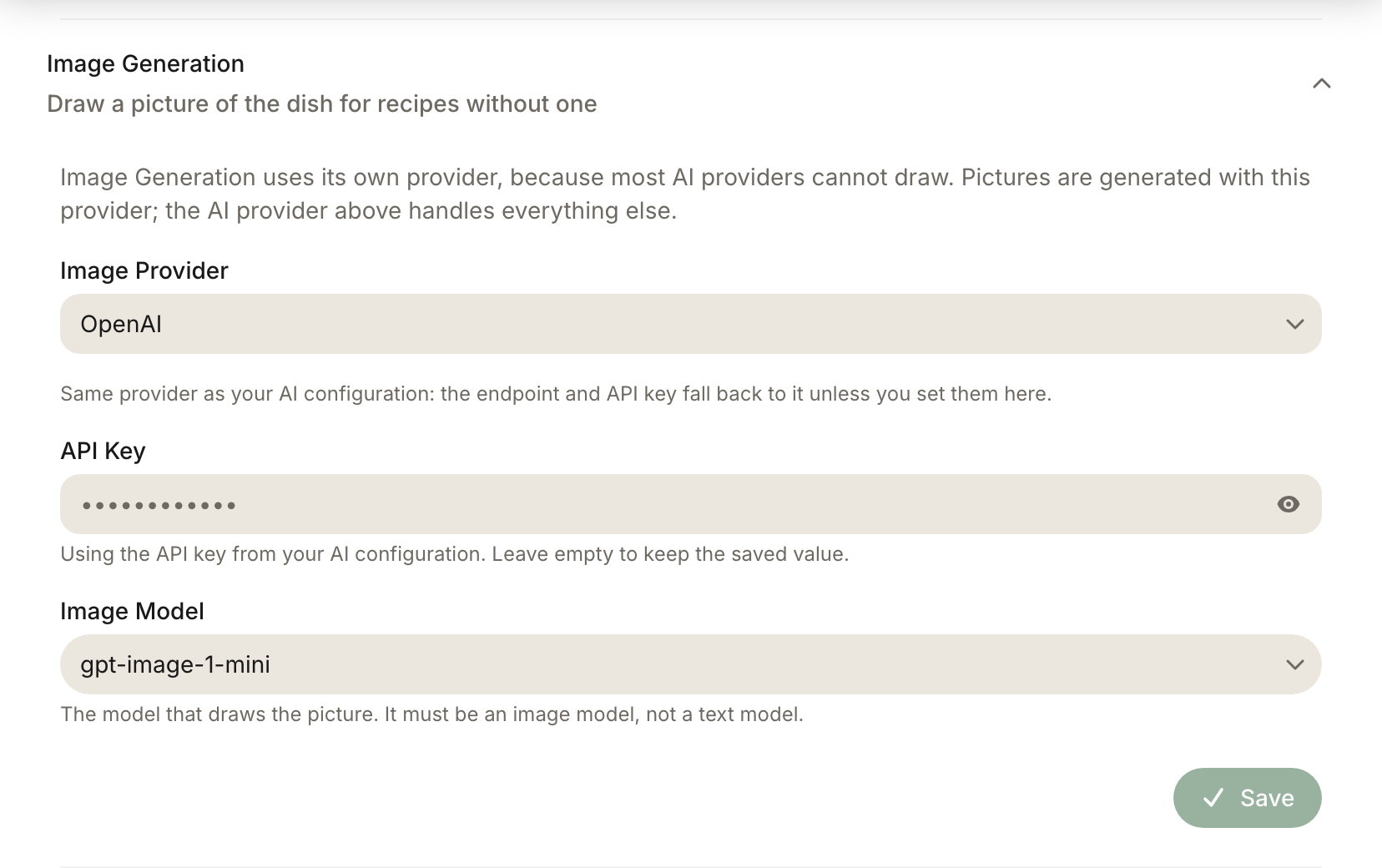
Image generation needs its own provider, because most AI providers cannot draw: Anthropic, Mistral, DeepSeek, Groq and Perplexity expose no image model at all. So a self-hoster running a local text model can still point image generation somewhere else, or at an Ollama server running one of its image models. Configure it under Settings => Admin => AI & Processing => Image Generation:
| Field | Notes |
|---|---|
| Image Provider | OpenAI, Google AI, Azure OpenAI, Ollama, LM Studio, or a generic OpenAI-compatible endpoint, only providers that can actually generate images are offered |
| Endpoint URL | For Ollama, LM Studio and generic endpoints; optional custom resource URL for Azure |
| API Key | For the cloud providers |
| Image Model | Must be an image model, e.g. gpt-image-1, imagen-4.0-generate-001 or Ollama's x/z-image-turbo, not a text model |
When the image provider is the same provider as your AI configuration, the endpoint and API key fall back to it, so you don't type a key twice.
All prompts for the image generation feature are editable under Prompts.
How pictures reach recipes:
- Automatically, when the Image Generation switch above is on: newly created recipes that have no image at all are made.
- On request, from a recipe's actions menu (Generate Picture) This does replace the recipes original image and is destructive. Recipe enrichment.
- In bulk, through Enrich All Recipes below.
Decision Model
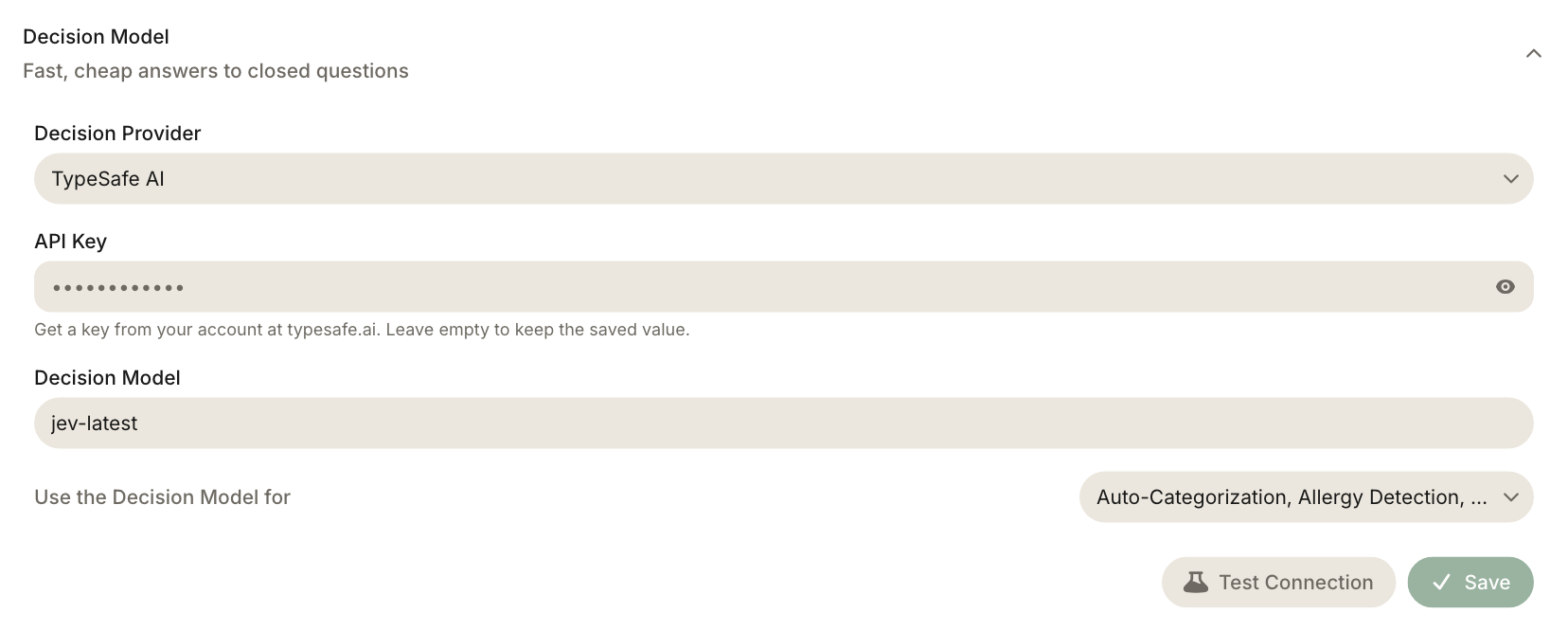
A decision model is a specialised model trained to do classification. Norish can use these models to improve recipe detection on websites and increase accuracy/validate output of the LLM provider. These models are cheaper than regular LLM's and can replace the need for an LLM in various cases such as categorisation.
Configure it under Settings => Admin => AI & Processing => Decision Model:
| Field | Notes |
|---|---|
| Provider | Disabled or TypeSafe AI |
| API Key | From your TypeSafe AI account. |
| Model | Defaults to jev-latest release |
| Use the Decision Model for | One multi-select: Auto-categorization, Auto-tagging, Allergy detection, Recipe Provenance, Grocery linking, Validate enrichments. Everything is selected the moment a Decision Model is configured; deselect what it should leave to the AI provider. Import triage is not in the list |
What it does:
- Auto-categorization asks four questions instead of asking a language model to write the words.
- Auto-tagging asks one question per predefined tag under Predefined tags only.
- Allergy detection asks one question per household allergen.
- Recipe Provenance settles the country, and under Only existing cuisines the Cuisines, by Decision and has the AI provider write the region and the note.
- Import triage Not changeable always on with a Decision Model. Asks whether a page is a recipe before an AI extraction is attempted, whether an Instagram or Facebook caption holds a recipe before transcribing and whether a structured parse is complete enough to keep.
- Grocery linking ranks the products a shop offered for a grocery and links its pick when that is likelier than every alternative together. Prices.
When Validate enrichments is selected, everything an enrichment run adds is checked before it is written. A tag, category, Cuisine or step link the Decision Model says no to is not written.
What it cannot do: extract a recipe, estimate nutrition, write a provenance note, convert units, link a step's ingredient shares, or generate an image.
The below diagram explains the sequence.
Run it on your whole library
Automatic enrichment only runs when a recipe is created, so recipes imported before you enabled a switch, or before an enrichment kind existed, never catch up on their own. Settings => Admin => AI & Processing => Bulk Enrichment => Enrich All Recipes queues every enrichment whose automatic switch is enabled, for every recipe on the server.
This action can be expensive.
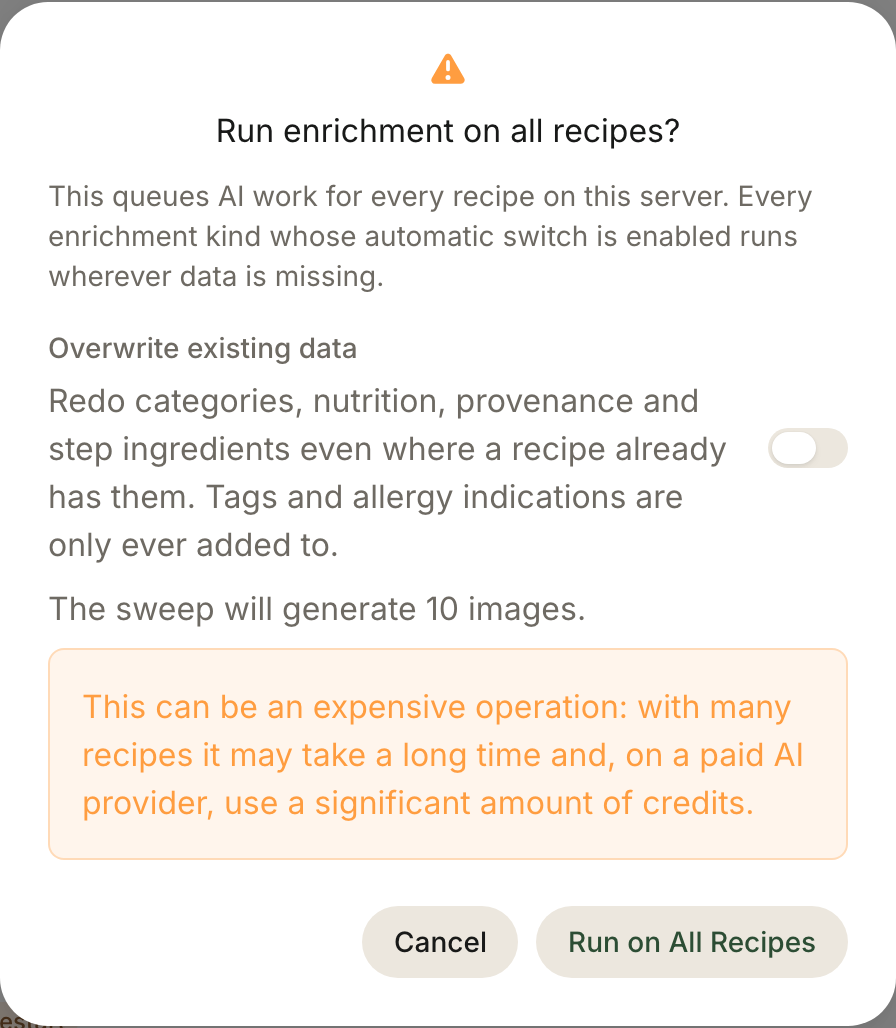
The confirmation also offers Overwrite existing data, which turns the behaviour from appending into redoing them.
- It cannot be undone, and it does not spare your own work.
- It costs more than the default sweep.
- Tags and allergy indications are never overwritten
Prompts
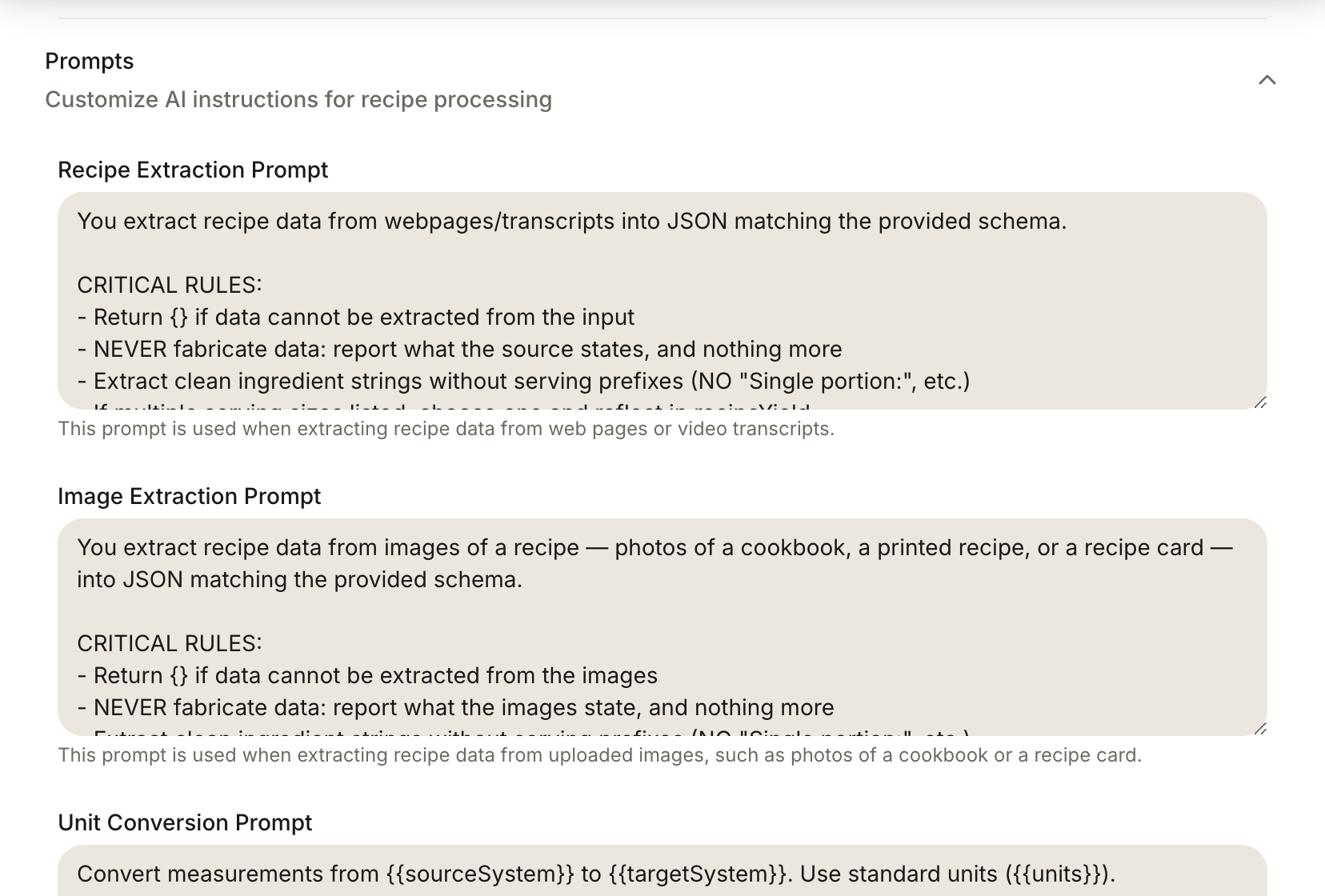
All prompts norish uses are customisable under the admin settings
Video import
Video import downloads the clip with yt-dlp, transcribes the audio, and uses
the AI provider to extract the recipe.
Links from YouTube, Instagram, TikTok, Facebook, Pinterest (including pin.it
share links), X, Threads, Snapchat, Vimeo, Dailymotion, Douyin, Bilibili, and
RedNote are recognised as videos.
| Variable | Description | Default |
|---|---|---|
VIDEO_PARSING_ENABLED | Enable the video parsing pipeline | false |
VIDEO_MAX_LENGTH_SECONDS | Maximum accepted video length | 120 |
YT_DLP_VERSION | yt-dlp release a development install downloads on first use (the Docker image ships its own) | 2026.08.19 |
YT_DLP_BIN_DIR | Folder containing the yt-dlp binary | ./.runtime/bin (dev), /app/bin (prod) |
YT_DLP_PROXY | HTTP/SOCKS proxy URL for yt-dlp downloads | (empty) |
Photo posts and reels
An Instagram or Facebook post with no video is imported from its caption alone,
which only works when the caption holds the whole recipe. Norish decides which
path to take by asking yt-dlp whether the post has a video stream.
Transcription
Transcription turns the video's audio into text for the AI step.
| Variable | Description | Default |
|---|---|---|
TRANSCRIPTION_PROVIDER | Transcription provider | disabled |
TRANSCRIPTION_ENDPOINT | Transcription endpoint (local/custom providers) | (empty) |
TRANSCRIPTION_API_KEY | Transcription API key | (empty) |
TRANSCRIPTION_MODEL | Transcription model | whisper-1 |
When the endpoint or API key is left empty, transcription falls back to the AI configuration's endpoint and key.