Admin settings
Most of Norish is configurable at runtime from the UI, no restart or env-var change required. Server owners/admins can see these in: Settings => Admin.
You can manage:
- Users Basic user management.
- Registration policy whether new users may register.
- Permission policies for recipe view, edit, and delete scopes.
- Auth providers (OIDC, GitHub, Google).
- OIDC claim mapping for admin role assignment and household auto-join.
- Content detection settings (units, content indicators, recurrence config).
- AI and video processing settings.
- Job queue Information about background jobs and possible restarts.
- System scheduler and server restart actions.
tip
Settings that can change at runtime live here; settings needed to boot the instance, the database, the encryption key in Server & runtime, and the initial auth provider, are environment variables.
Some settings may require a reboot, this is indicated in the UI.
Job queue
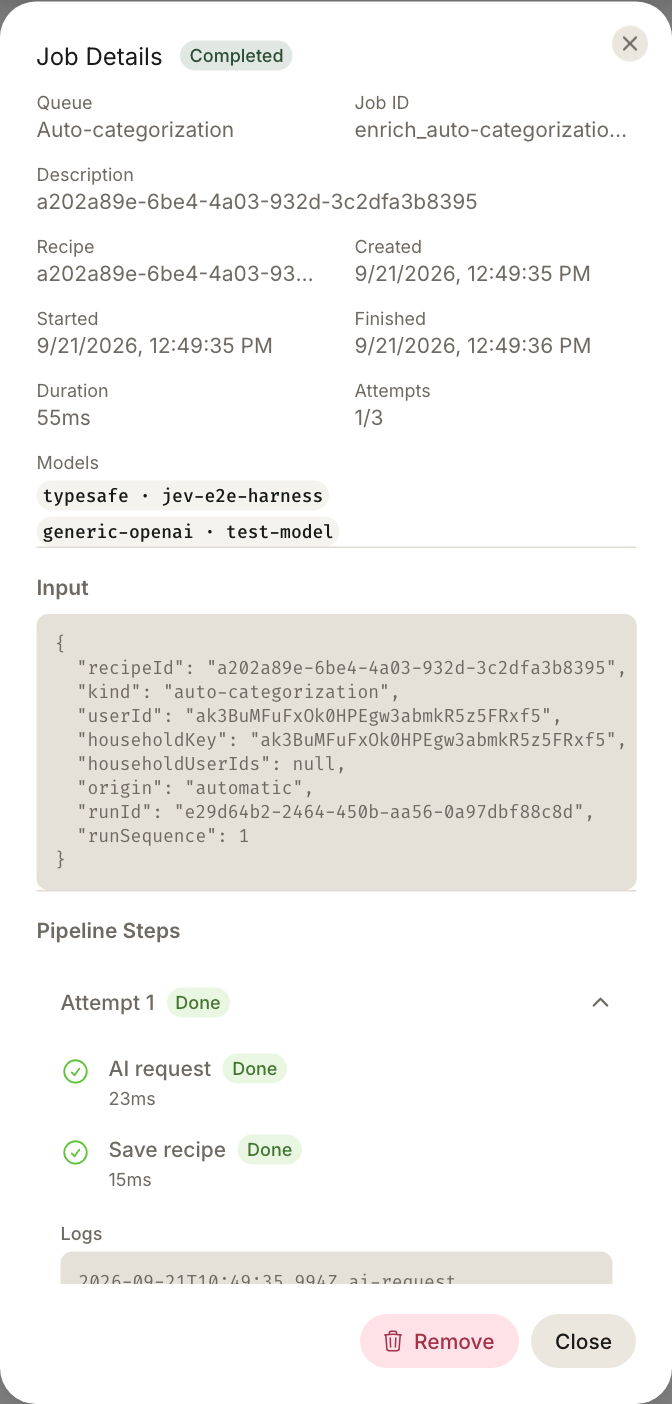
Most tasks executed in Norish are run in the background via queues. You may view these queues and their steps in: Settings => Admin => Job Queues A queue has the following states: waiting, running, finished or failed. Opening a job shows details for debugging purposes.