Prices
A Store is a heading your groceries sit under. A Store can additionally point at a real shop, so the list can show what its groceries cost there.
Pointing a Store at a shop
Open Manage Stores, edit a Store, and paste the shop's homepage or one of its search pages into Shop link.
The link is turned into a Search Address, with {query} where the grocery name goes. You can edit that address yourself if the shop needs something different.
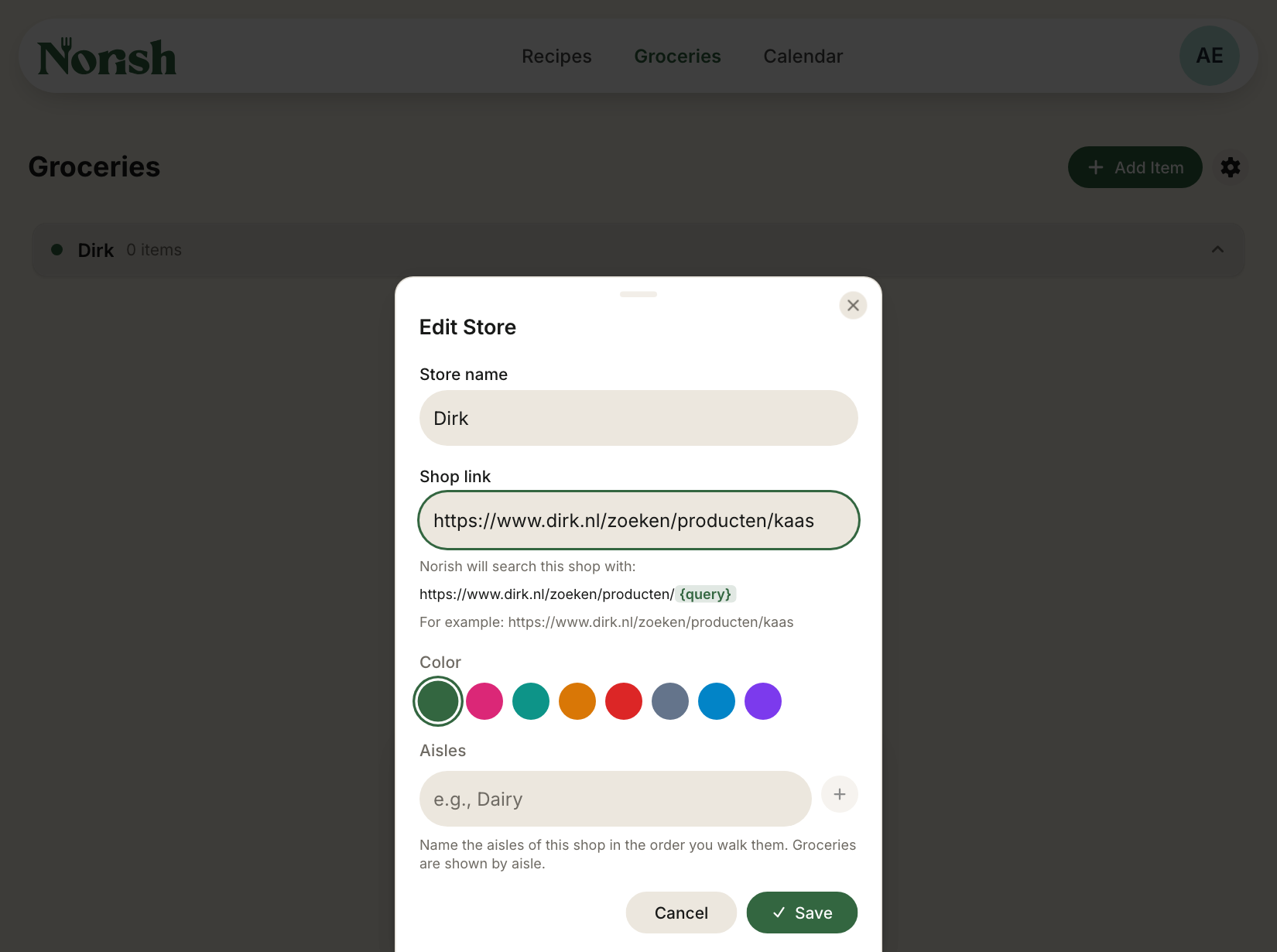
When you save, the shop is tried once and you are told whether priced products were found, products without prices were found, or the shop could not be reached. The Store is saved either way.
Prices on the list
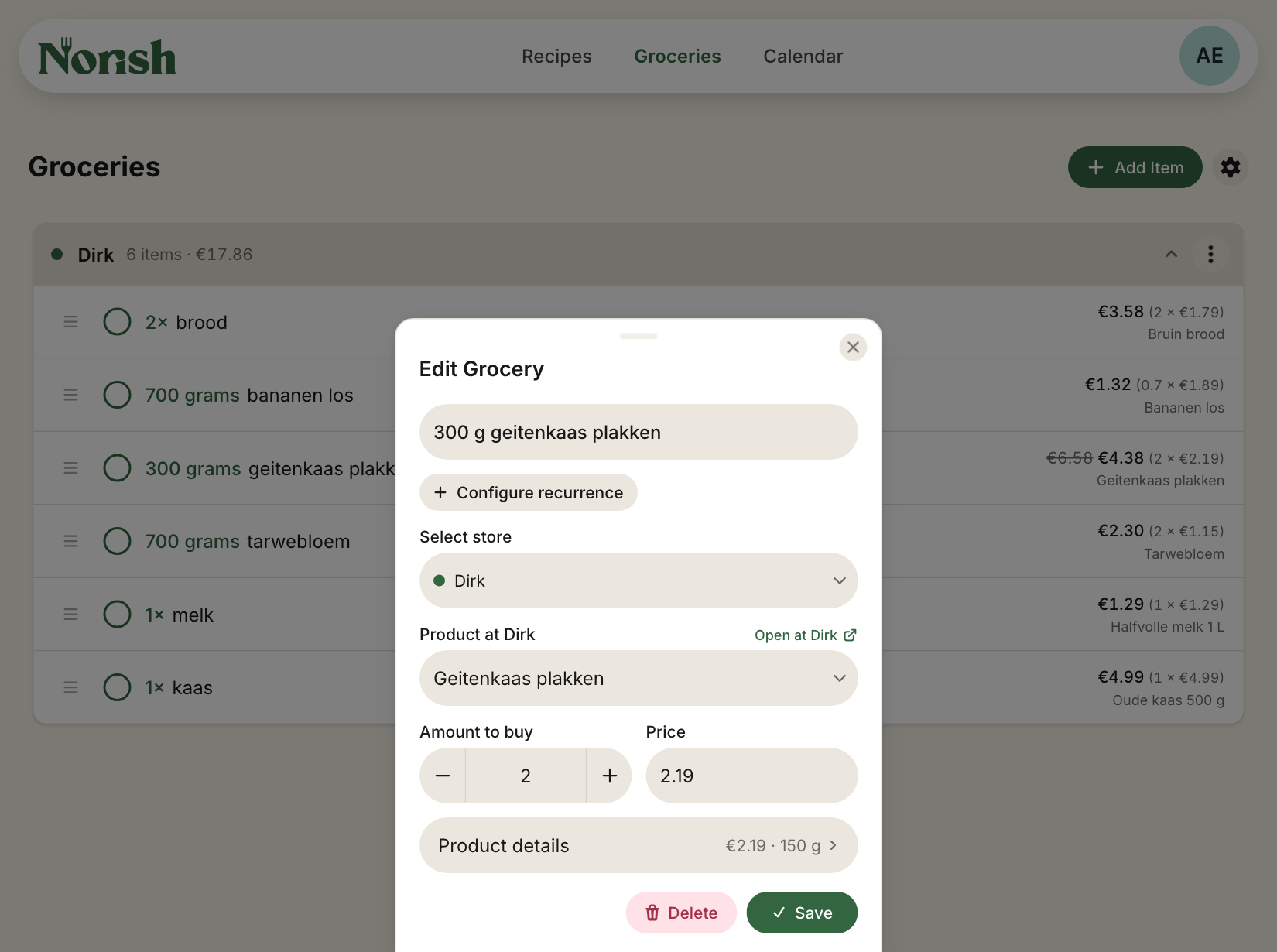
When a grocery is linked to a shop product, its row shows the total to buy and the price of each pack: The shop's product name sits underneath. If it is on sale, the regular total is struck through beside the sale price.
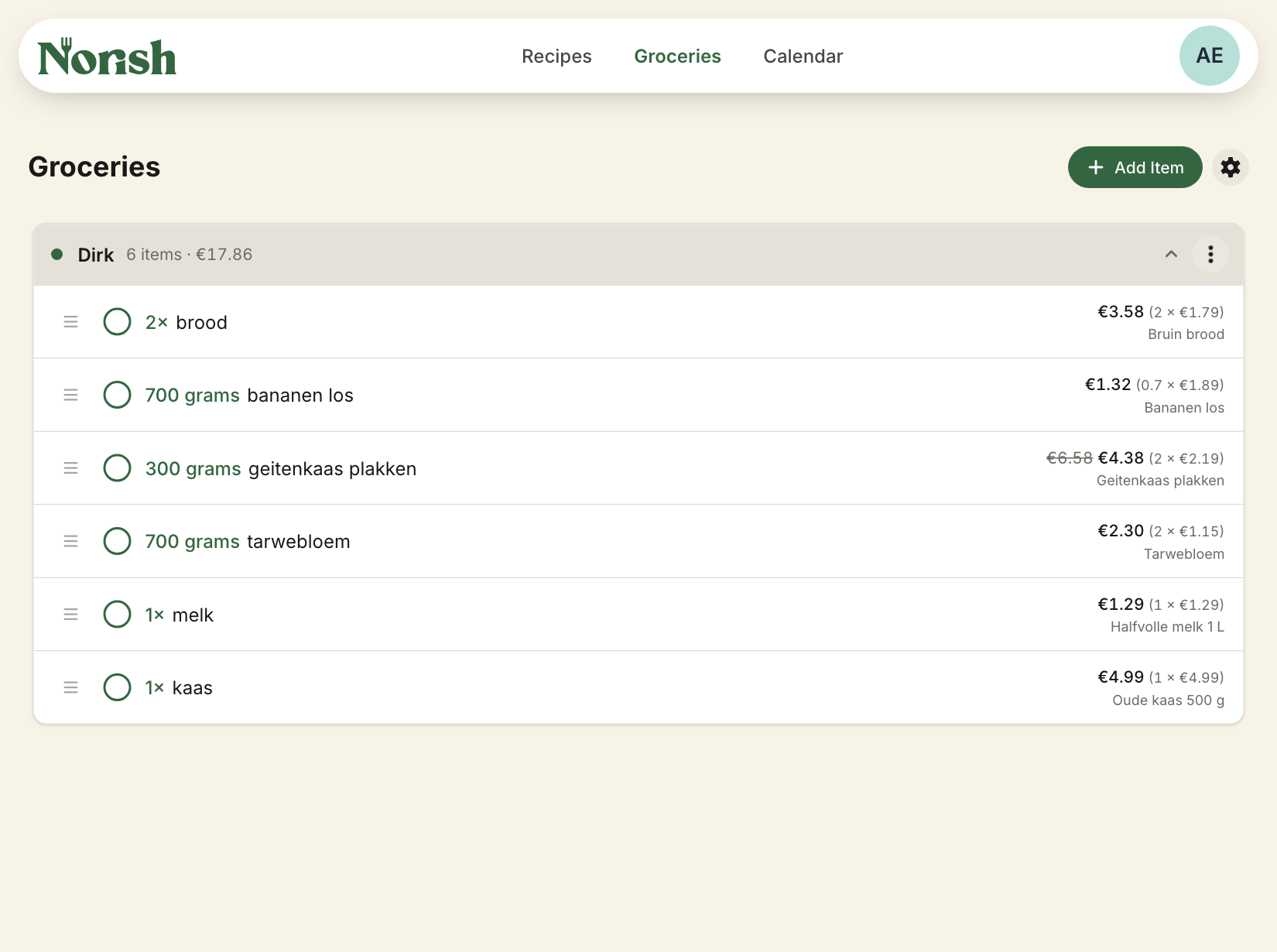
The Store heading adds up everything still to buy. Groceries without a price are left out of that total, and ticking a grocery removes its price from it. When similar ingredients are grouped, the group is priced as one purchase. So 300 g and 400 g of flour become 700 g when deciding how much to buy.
Which product
Norish links a grocery to one of the shop's products by itself only when the product's name is the grocery's name, give or take a typo on longer names. A product whose name merely contains the grocery's, "snoepjes" inside "Fortuin salmiak snoepjes", is not taken: it could as well be any other bag of sweets.
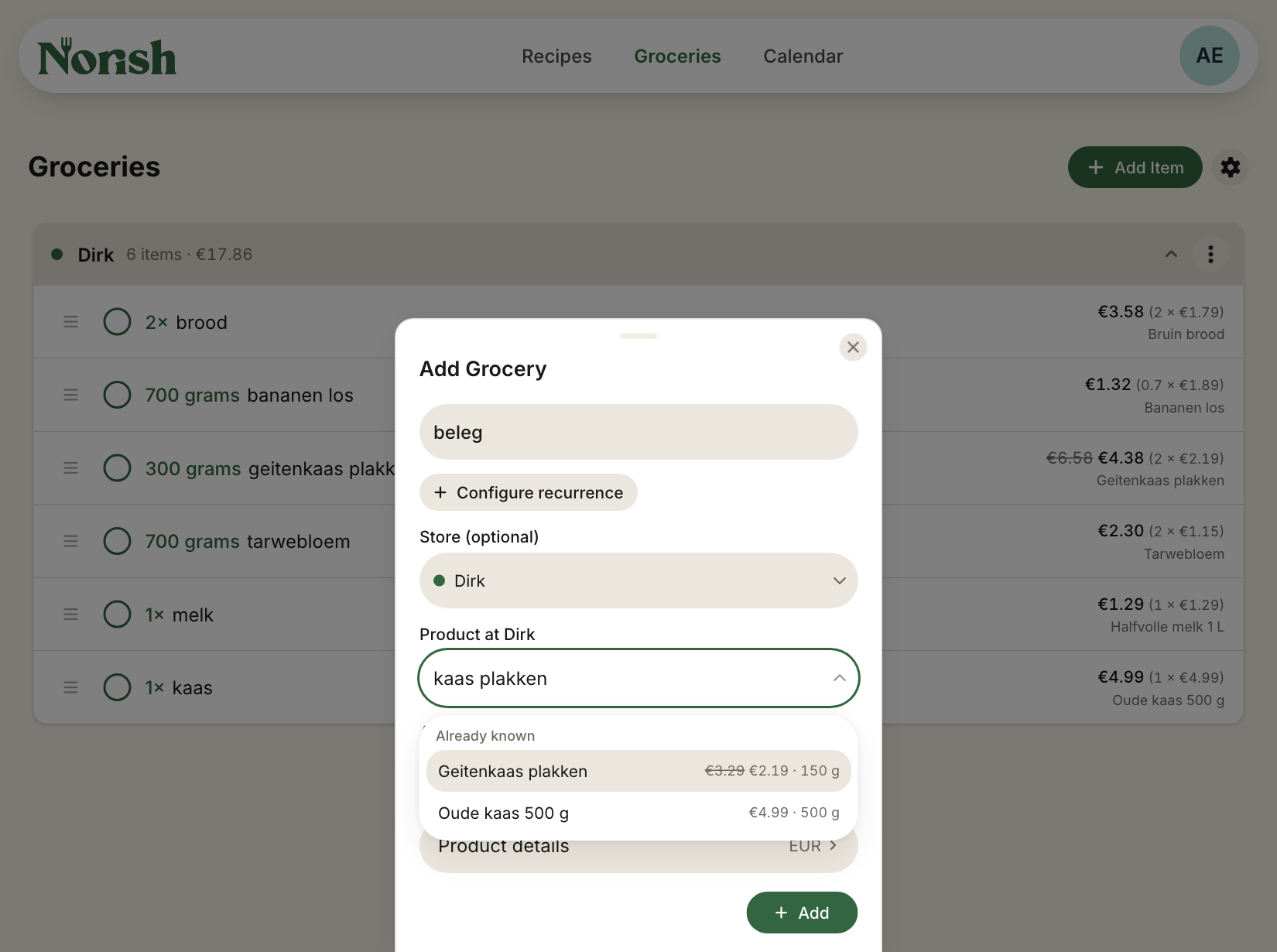
Everything else is yours to decide. Open the grocery and use the Product field: typing shows what the Store already knows and what the shop answers, with the price beside each. Typing a product's own name fills it in.
To undo a link, open the grocery and press Unlink product. The row loses its price, and the Store treats the name as one it has no product for until you pick or type one.
How much to buy
The amount on your grocery is compared with the amount one shop product contains.
So 700 g of flour against a 500 g pack means two packs, and 12 eggs against a box of ten means two boxes.
A grocery without an amount means one pack. If its amount cannot sensibly be compared with the shop's pack, one pack is used.
You can override this in the grocery panel under Amount to buy.